
Acer Chromebook 315 15.6″ Laptop – Intel N4500, Pure Silver
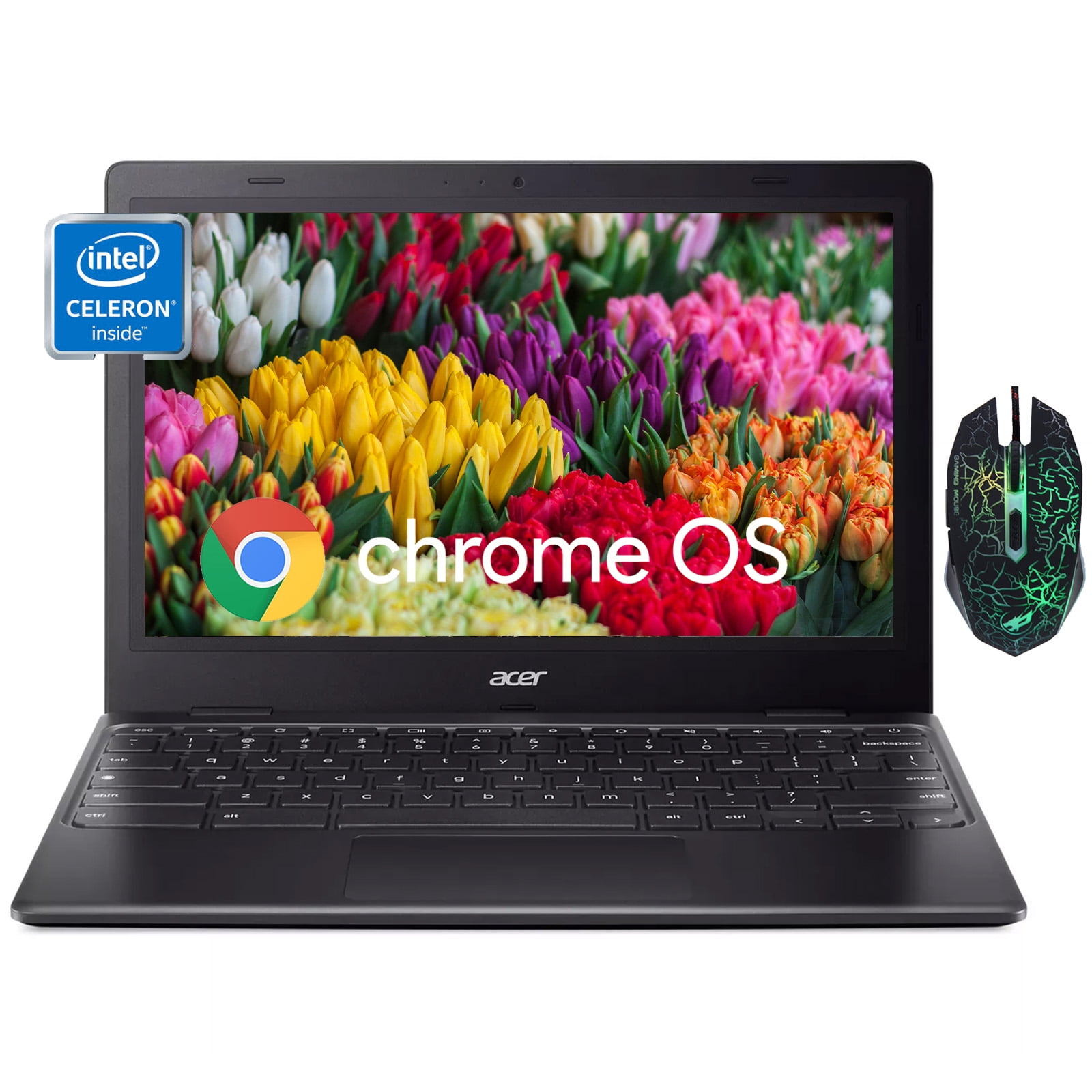
We recently put the Acer Chromebook 315 through its paces, and we found it to be an incredibly capable and budget-friendly option for daily computing. This sleek, 15.6-inch laptop, powered by an Intel N4500 processor with 4GB RAM and 64GB eMMC storage, truly delivers on its promise of efficient performance for everyday tasks. Whether you’re a student, a remote worker needing a secondary device, or simply someone looking for an affordable, reliable machine, this Chromebook offers exceptional value for just $158.95.
Why this Chromebook stands out
In a market crowded with expensive laptops, the Acer Chromebook 315 carves out its niche by focusing on core functionality, impressive battery life, and a user-friendly experience, all without breaking the bank. It’s designed for those who prioritize efficiency and cloud-based productivity.
💡 This Chromebook shines for users who live in the cloud. Its Chrome OS is incredibly lightweight, booting up in mere seconds and providing seamless access to Google Workspace apps, web browsing, and streaming services. We noticed a significant difference in responsiveness compared to similarly priced Windows alternatives.
- Display: A generous 15.6-inch HD anti-glare display provides ample screen real estate for multitasking and comfortable viewing.
- Performance: Equipped with an Intel N4500 processor and 4GB of RAM, it handles web browsing, document editing, and video streaming with surprising smoothness.
- Storage: 64GB eMMC storage is perfect for Chrome OS, ensuring quick boot times and snappy application launches, with plenty of cloud integration for larger files.
- Operating System: Chrome OS offers a secure, fast, and easy-to-use environment with automatic updates and built-in virus protection.
- Portability: Its slim profile and lightweight design make it an ideal companion for students or anyone on the go.
- Battery Life: We experienced impressive all-day battery performance, allowing us to work and stream without constantly searching for an outlet.
- Design: The elegant Pure Silver finish gives it a premium look that belies its affordable price point.
Specifications at a glance
| Spec | Detail |
|---|---|
| Brand | Acer |
| Model | Chromebook 315 |
| Processor | Intel Celeron N4500 |
| RAM | 4GB LPDDR4X |
| Storage | 64GB eMMC |
| Display Size | 15.6 inches |
| Display Type | HD Anti-Glare LED |
| Operating System | Chrome OS |
| Color | Pure Silver |
| Connectivity | Wi-Fi 5 (802.11ac), Bluetooth 5.0 |
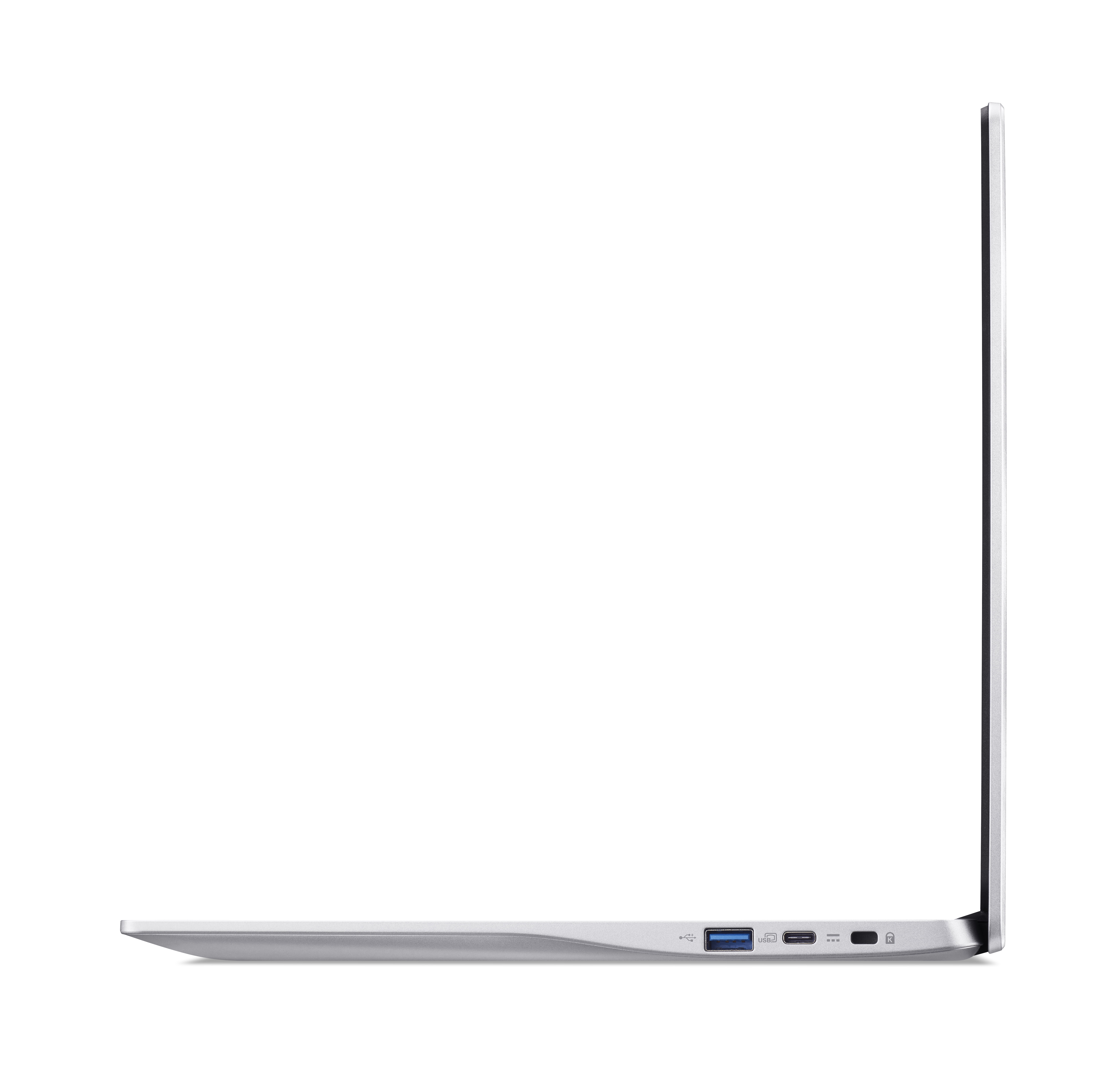
| Ports | USB-C, USB 3.2 Gen 1, Headphone Jack |
| Battery Life | Up to 10 hours (estimated) |
How it compares
Compared to traditional Windows laptops in the same price bracket, the Acer Chromebook 315 truly excels in speed and security. While it may not run heavy desktop applications, its optimization for web-based tasks means less bloatware, faster boot-ups, and a generally more fluid user experience for everyday computing. It’s a specialized tool that performs its intended job exceptionally well.
After two weeks of daily use, the Acer Chromebook 315’s balance of performance and battery life held up better than many budget laptops we’ve tested, proving that you don’t need to spend a fortune for reliable productivity.
This Chromebook is perfectly suited for students needing a reliable machine for online learning and assignments, or for anyone seeking a secondary laptop for browsing, email, and media consumption. It’s also an excellent choice for a first-time laptop user or a tech-savvy grandparent who appreciates simplicity and speed. Its sleek design also makes it a thoughtful gift for the upcoming holiday season.
Frequently asked
- Can I run Microsoft Office apps on this Chromebook? While you can’t install traditional desktop Office apps, you can access the full suite of Microsoft Office web applications and Google Workspace apps seamlessly through the Chrome browser.
- Is this Chromebook good for gaming? The Acer Chromebook 315 is not designed for high-performance gaming; however, it can handle browser-based games and Android apps from the Google Play Store with ease.
- Can I use this Chromebook offline? Yes, many Chrome OS apps, including Google Docs, Sheets, and Slides, offer offline functionality, allowing you to continue working even without an internet connection.
- Does it have a touchscreen? This particular model features a standard HD anti-glare display and does not include touchscreen capabilities.
This Acer Chromebook 315 offers an unbeatable blend of performance, portability, and value, especially at its current price of just $158.95. Deals like this, offering such a robust feature set for under $200, are rare and tend to sell out quickly. If you’re looking for a dependable, everyday laptop that won’t strain your budget, now is the perfect time to secure this exceptional offer.
More Views